

 0
0


 Continue with Google
 Continue with Facebook
Wednesday 10 June, 2026
Full Guide on Best MacBook for Students in 2026: Air vs Pro
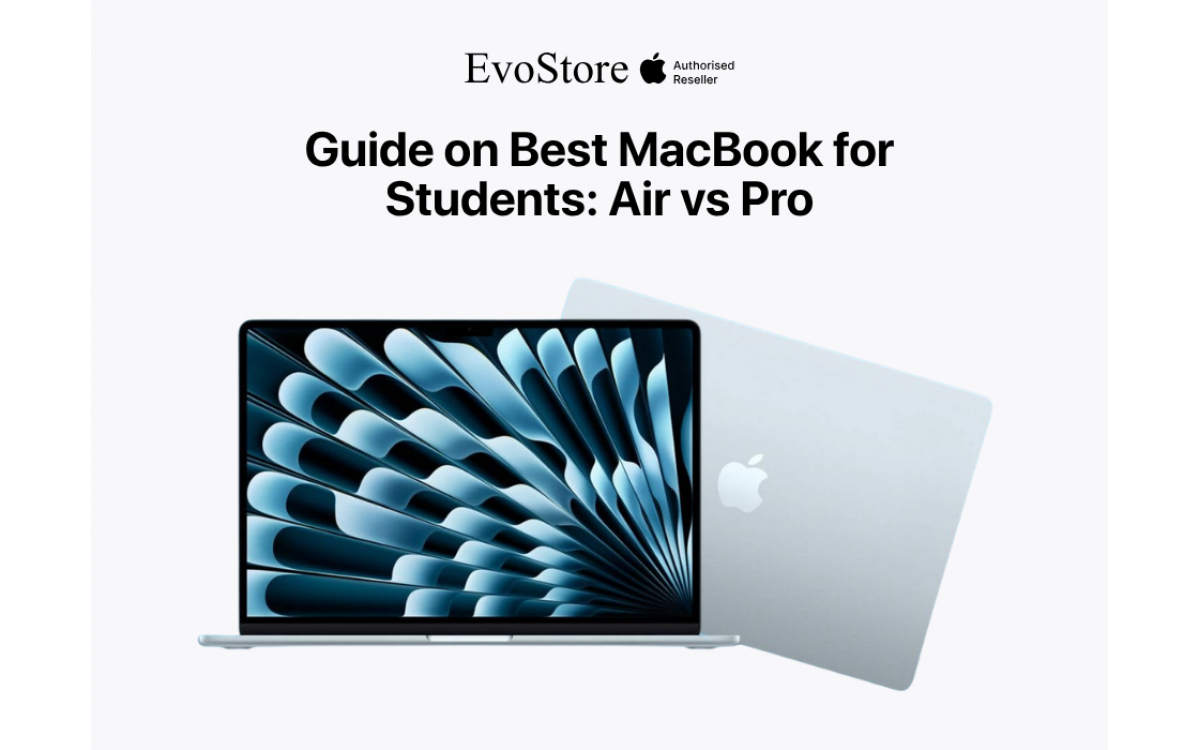
Choosing a MacBook for university is a more straightforward decision than the marketing suggests, once you strip away the spec comparisons that do not affect daily student use and focus on what actually matters for four years of coursework, late nights, and carrying a bag across campus. The choice in 2026 comes down to two machines: the MacBook Air and the MacBook Pro. Both run Apple Silicon. Both are genuinely good computers. The decision between them is about what kind of student you are and what you are actually going to do with it.
This guide covers both machines honestly, what separates them, and which one makes sense for which student. All models are available through Evo Store at evostore.com.np.
The Two Machines: What Each One Is
MacBook Air M5
The MacBook Air is the student's laptop. It has been for several generations, and the M5 version makes the case more convincingly than any previous model. It is thin, light, fanless, and runs the M5 chip without thermal throttling for the vast majority of tasks a student will ever ask of it.
The fanless design is the Air's defining characteristic and the source of its one genuine limitation. Without a fan, the Air manages heat by reducing processor speed under sustained heavy loads. For a student writing essays, browsing research, attending video lectures, and occasionally editing photos, this limitation is entirely invisible. For a student rendering long-form video or running computational simulations for extended periods, it eventually becomes relevant.
The MacBook Air M5 is available in two configurations at Evostore:
| Model | Starting Price (NPR) |
| MacBook Air 13-inch M5 | 215,500 |
| MacBook Air 15-inch M5 | 295,000 |
The 13-inch is the more portable option and the one that makes most sense for students who carry their laptop everywhere. The 15-inch offers a larger display that benefits students who spend long hours reading, writing, and working in a fixed location. Both are the same machine internally. The screen size is the decision.
MacBook Pro M5
The MacBook Pro is a professional workstation in a laptop form factor. It has a fan, which means it sustains peak performance under heavy loads without thermal limitation. The display is ProMotion, which means it refreshes at up to 120Hz for smoother scrolling and motion. The battery is larger. The build is heavier.
The MacBook Pro M5 configurations available at Evo Store:
| Model | Starting Price (NPR) |
| MacBook Pro 14-inch M5 | 330,500 |
| MacBook Pro 14-inch M5 Pro | 418,000 |
| MacBook Pro 16-inch M5 Pro | 512,000 |
The Pro starts at NPR 115,000 more than the Air. That gap needs to produce a corresponding benefit for the student buying it, and for most students, it does not.
What Actually Separates The 2 MacBook for Students
1. Performance Under Sustained Load
The M5 chip in the Air and the base M5 chip in the 14-inch Pro are the same chip. The difference is that the Pro has a fan and the Air does not. For tasks that run hard for short bursts like compiling code, exporting a presentation, or processing a batch of photos, both machines perform identically. For tasks that run hard continuously for 30 minutes or more, like video rendering, machine learning model training, and large-scale data processing, the Pro maintains peak performance while the Air eventually reduces speed to manage heat.
Most students never hit this distinction in practice. The student who is studying film production, architecture, engineering, with heavy simulation requirements, or data science at a level that involves training models locally rather than in the cloud.
2. Display
The MacBook Pro's Liquid Retina XDR display with ProMotion 120Hz refresh is genuinely better than the Air's display. Brighter, higher contrast, smoother. For a student whose primary use is reading, writing, and general productivity, the difference is noticeable but not operationally significant. For a student doing colour-critical design or photo editing work, it matters more.
3. Battery Life
Both machines offer excellent battery life by any standard. The Air M5 delivers around 15 to 18 hours of practical use. The Pro's larger battery pushes this further. For a student attending lectures, the Air's battery comfortably covers a full day without a charger. The Pro's advantage here is meaningful only for unusually long days or travel situations where charging is genuinely unavailable.
4. Weight and Portability
The MacBook Air 13-inch weighs 1.24 kilograms. The MacBook Pro 14-inch weighs 1.55 kilograms. Across five days of campus use, 310 grams adds up in a bag that also contains textbooks, a water bottle, and everything else students carry. The weight difference is not dramatic, but it is real.
Which MacBook for Students is a Right Choice
The MacBook Air 13-inch M5 Is Right For:
Arts, humanities, social sciences, business, and law students whose primary tools are a browser, a document editor, and communication apps.
Engineering and science students whose coursework involves standard applications rather than intensive local computation.
Medical and health sciences students who need a reliable, portable machine for lectures, research, and clinical placements.
Students on a defined budget who need the best machine within that budget, rather than the most powerful machine available.
Anyone who prioritises portability above all else.
The MacBook Air 15-inch M5 Is Right For:
Students who work primarily at a desk and want more screen space for reading and multi-window work.
Students who find the 13-inch screen limiting for extended reading and writing sessions.
Those who do not want to carry an external monitor but want something closer to a desktop experience.
The MacBook Pro 14-inch M5 Is Right For:
Film, media production, and design students who export video regularly need sustained performance under load.
Architecture students running rendering software for extended periods.
Computer science students doing machine learning or computational research locally.
Students who need the ProMotion display for colour-critical creative work.
The MacBook Pro 14-inch or 16-inch M5 Pro Is Right For:
Postgraduate research students with intensive computational requirements.
Students whose professional work during study involves demanding workloads that justify the investment.
Anyone buying a machine expects to use it productively for seven or more years across study and professional life.
The Student Budget Reality
For most students buying in Nepal, the MacBook Air 13-inch M5 at NPR 215,500 is the correct purchase. It handles everything the university throws at it, lasts a full day on battery, weighs next to nothing in a bag, and runs every standard student application without compromise.
The NPR 115,000 gap between the Air and the base MacBook Pro buys performance that the majority of students will not use. That NPR 115,000 spent on the Air instead covers two years of software subscriptions, external storage, a quality pair of headphones, and still leaves change.
The honest advice for students considering the Pro because it feels more capable: it is more capable. The question is whether your specific workload requires that capability. If you are not certain that it does, it probably does not, and the Air is the purchase.
For students whose workload genuinely demands the Pro, the machine justifies itself quickly. A film student who is waiting 40 minutes for exports on an underpowered machine loses real time. A data science student whose model training crashes an Air under thermal pressure needs the Pro. The use case determines the machine.
What to Consider Before Buying
RAM Configuration
Both the Air and Pro are available in different RAM configurations. For a student using standard productivity applications, 16GB is the baseline for comfortable multitasking in 2026 (and is now the standard starting memory for Apple's M5 lineup). 8GB is workable on older machines but begins to show limitations with multiple browser tabs, video calls, and active applications running simultaneously. If the budget allows a RAM upgrade to 24GB, it is worth taking. RAM cannot be upgraded after purchase.
Storage Configuration
256GB fills up faster than students anticipate. A MacBook with 256GB of storage requires active management of files and regular offloading to external drives or cloud storage. 512GB is the comfortable starting point for a student who keeps course materials, project files, and media on the machine. 1TB suits students working with video or large design files.
AppleCare
Evo Store offers AppleCare coverage alongside the machines. For a computer that will be carried daily for four years through a student's lifestyle, the additional coverage is worth considering seriously.
Evo Store: MacBooks in Nepal
All MacBook Air and MacBook Pro configurations are available through Evo Store at evostore.com.np. Purchasing through Evo Store provides verified, genuine Apple products with local warranty coverage and after-sales support in Nepal, rather than relying on grey market imports, where warranty claims require international returns.
FAQs
1. Is the MacBook Air M5 powerful enough for students in 2026?
For the overwhelming majority of students, yes, without qualification. The M5 chip handles document editing, web browsing, video calls, presentations, coding in standard languages, photo editing, and light video work without limitation. The Air's thermal management only becomes relevant under sustained heavy loads like long video renders or intensive local machine learning work. If your coursework does not explicitly require that kind of sustained computation, the Air covers everything.
2. Should a student buy the 13-inch or 15-inch MacBook Air?
The 13-inch suits students who prioritise portability and carry their laptop everywhere daily. The 15-inch suits students who work primarily at a desk and want more screen space for reading and multitasking. Both machines are internally identical. The choice is purely about screen size and portability preference. If you are uncertain, the 13-inch is the safer default for a student lifestyle.
3. Is the MacBook Pro worth the extra cost for a student in Nepal?
For most students, no. The NPR 115,000 gap between the Air and the base Pro buys sustained performance under heavy loads and a better display. If your coursework involves regular long-form video rendering, architecture rendering software, or intensive computational work, the Pro pays for itself in time and frustration saved. For standard student workloads, the Air performs the same tasks at a lower price point.
4. How long does a MacBook last for a student?
Apple Silicon MacBooks have demonstrated extended productive lifespans compared to previous Intel models. A MacBook Air M5 purchased in 2026 is a realistic four to six-year machine for student use, with battery health and software support both holding well across that period. Students who maintain their machines properly and manage storage sensibly regularly get six or more years of productive use from Apple Silicon hardware.
5. Where can I buy a genuine MacBook in Nepal with a warranty?
Evo Store at evostore.com.np carries the full MacBook Air and MacBook Pro lineup with verified genuine Apple products and local warranty coverage. Grey market MacBooks available through informal channels in Nepal may carry lower prices but come without local warranty support, meaning repairs and replacements require international returns. Purchasing through Evo Store ensures warranty claims are handled locally and that the machine is a genuine Apple product.