

 0
0


 Continue with Google
 Continue with Facebook
Wednesday 22 July, 2026
Belkin Multiport Adapters Review: Explore the Multiport for All USB-C and Thunderbolt Devices
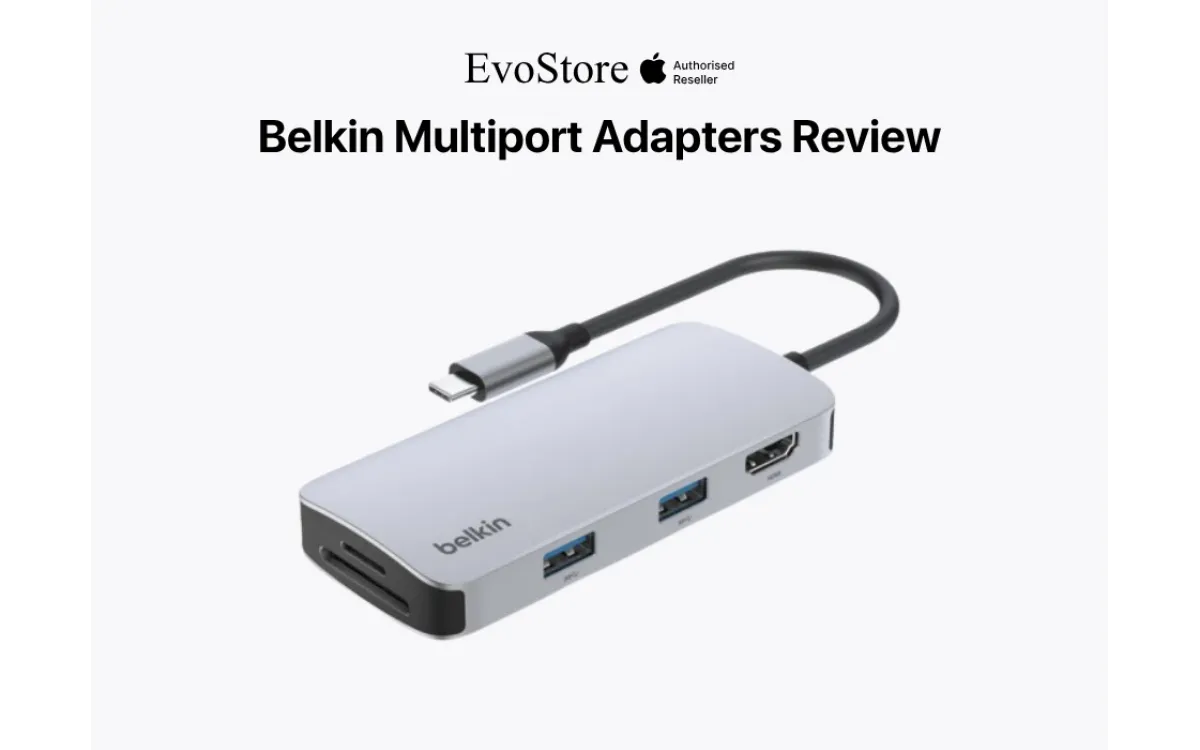
Modern laptops keep getting slimmer, and the tradeoff is fewer ports. One or two USB-C connections are often all you get, which means the moment you need to plug in a monitor, an Ethernet cable, an SD card, and charge your laptop at the same time, you're out of options. A good multiport adapter solves this instantly, turning a single USB-C or Thunderbolt port into a full workstation.
Belkin has built a genuinely strong lineup covering everything from compact everyday hubs to full Thunderbolt docking stations, and several of these are currently available in Nepal through Evostore. Here's a full review of the lineup, what each one actually offers, and which one fits your setup.
Quick Summary: Belkin Multiport Adapters Review
Belkin Connect USB-C 6-in-1 Hub: NPR 9,800 - best for travel, HDMI, Ethernet, SD card, and USB-A expansion.
Belkin Thunderbolt 3 Dock Core: NPR 27,500 - ideal for a fixed desk setup with dual 4K monitor support.
Belkin Thunderbolt 3 Dock Pro: NPR 47,000 - powerful 12-port workstation dock with 40Gbps bandwidth and 85W charging.
Belkin Connect Pro Thunderbolt 4 Dock: NPR 59,000 - premium future-proof option with dual 4K or single 8K display support and 90W charging.
- All models support laptop charging while connected, so you don't lose your charging port.
- Choose a USB-C hub for portability and basic expansion, or a Thunderbolt dock for multi-monitor setups, higher speeds, and a permanent workstation.
What's the Difference Between a Multiport Hub and a Dock?
Before comparing specific models, it helps to understand the two broad categories these products fall into.
Multiport hubs are compact, portable adapters that expand a single USB-C port into several connections at once, usually covering HDMI, USB-A, an SD card reader, and sometimes Ethernet. They're built for portability and everyday use rather than a fixed desk setup.
Docking stations are larger, more powerful units built around Thunderbolt connectivity, offering higher data transfer speeds, more simultaneous display support, and considerably more upstream charging power. These are built to live permanently on a desk as the center of a proper workstation.
Both categories solve the same core problem: not enough ports, but they're built for different use cases, which is the main thing to consider before choosing between them.
Belkin Connect USB-C 6-in-1 Multiport Hub
Belkin Connect USB-C 6-in-1 Multiport Hub is priced at NPR 9,800 and currently in stock at Evostore. This is Belkin's compact, everyday multiport adapter, built for anyone who needs more ports without carrying around a full docking station.
Key specs:
6 total connections through a single USB-C port: 1x Ethernet (1GbE), 1x USB-C PD 3.0, an SD 3.0 card reader, 2x USB-A 3.1 Gen 1 ports, and 1x HDMI 2.0.
Display support up to 4K at 60Hz through the HDMI port, enough for a single external monitor at full clarity.
100W pass-through charging, meaning you don't have to choose between expanding your ports and keeping your laptop charged.
Up to 5Gbps bandwidth across the hub's connections, keeping data transfer reasonably quick for everyday file work.
Compact and travel-friendly, weighing just 93 grams and small enough to slip into any laptop bag.
This is the right choice for anyone who mainly needs to plug in a monitor, transfer files from an SD card, and connect a couple of USB-A accessories, all without adding much bulk to their bag.
Belkin Connect Thunderbolt 3 Dock Core
Belkin Connect Thunderbolt 3 Dock Core is priced at NPR 27,500, discounted from NPR 32,000. This is a step up into proper docking territory, aimed at users who want a fixed desk setup rather than a portable hub.
Key specs:
Thunderbolt 3 connectivity, offering fast data transfer speeds well beyond what a standard USB-C hub can manage.
Dual 4K display support, letting you run two external monitors at once from a single dock connection.
Multiple port types, including USB-A, USB-C, and HDMI, covering a wide mix of peripherals and external storage without needing separate adapters.
Built for a permanent desk setup, rather than portability, making it a strong choice for a home office or dedicated workstation.
This suits users who work primarily from one location and want a proper docking setup they can leave connected, plugging their laptop in and out as needed without reconnecting individual cables each time.
Belkin Thunderbolt 3 Dock Pro for Mac and PC
The Belkin Thunderbolt 3 Dock Pro for Mac and PC is priced at NPR 47,000, discounted from NPR 55,000. This is one of the more comprehensive docking options in the ineup, built for users running a demanding, multi-peripheral workstation.
Key specs:
Up to 40Gbps data transfer speeds over Thunderbolt 3, a significant jump over standard USB-C hub bandwidth.
85W upstream charging, keeping even power-hungry laptops charged while connected.
Dual 4K at 60Hz display support, or a single 5K display, giving serious flexibility for multi-monitor setups.
12 total ports, including Thunderbolt, USB-A, USB-C, Ethernet, SD card, and audio, covering nearly every peripheral type through one connection.
Includes a Thunderbolt 3 cable, so there's no need to buy one separately to get started.
This is built for creative professionals, developers, or anyone running a demanding multi-display setup who needs serious bandwidth and charging power in one connection.
Belkin Connect Pro Thunderbolt 4 Dock
The Belkin Connect Pro Thunderbolt 4 Dock is priced at NPR 59,000, discounted from NPR 75,000, this is the top of the current lineup, built around the newer Thunderbolt 4 standard for maximum future-proofing.
Key specs:
90W Power Delivery 3.0 charging, with an additional USB-C PD 3.0 port for fast charging a phone or tablet at the same time as your laptop.
Up to 8K resolution support on a single display, or dual 4K across two displays, the highest display capability in the lineup.
Includes a Thunderbolt 4 cable, ready to connect straight out of the box.
Built for the most demanding workstations, particularly useful for anyone working with high-resolution displays or planning around future hardware upgrades.
This is the right pick for users who want the newest standard available and are building a workstation meant to last through several years of laptop upgrades.
How to Choose the Right Multiport Adapter or Dock
The right pick comes down to how you actually work day to day.
Mostly working on the go, need occasional extra ports? The 6-in-1 Multiport Hub at NPR 9,800 is lightweight, affordable, and covers the essentials without adding bulk.
Working from one desk most of the time, want dual monitor support? The Thunderbolt 3 Dock Core at NPR 27,500 gives you a proper docking setup at a more accessible price point than the higher-end options.
Running a demanding, multi-peripheral setup with several displays? The Thunderbolt 3 Dock Pro at NPR 47,000 offers serious bandwidth, charging power, and port variety for professional workstations.
Want the latest standard and maximum display resolution? The Connect Pro Thunderbolt 4 Dock at NPR 59,000 is the most future-proof option, particularly for high-resolution display work.
What Makes Belkin's Multiport Lineup Worth Considering
A few things stand out across the whole range, regardless of which model fits your needs:
Consistent build quality across price points. Even the entry-level 6-in-1 hub carries the same reliability standard Belkin is known for in its higher-end docking stations.
Genuine pass-through charging on every model. None of these force you to choose between expanding your ports and keeping your device powered.
A clear upgrade path. Starting with the compact hub and moving up to a full Thunderbolt dock later means you're not locked into one category as your setup or work demands change.
Ready to expand your laptop's connectivity? Check current pricing and availability across the full Belkin multiport lineup at Evostore, or reach out to the team for help picking the right one for your setup.
FAQs
1. What is the best multiport adapter for everyday portable use?
The Belkin Connect USB-C 6-in-1 Multiport Hub, priced at NPR 9,800, is the best fit for portability, offering HDMI, Ethernet, an SD card reader, and USB-A ports in a compact, travel-friendly design.
2. What's the difference between a USB-C hub and a Thunderbolt dock?
A USB-C hub is smaller, more portable, and covers essential ports for everyday use, while a Thunderbolt dock offers significantly higher data transfer speeds, more display support, and greater charging power, built for a fixed desk setup.
3. Can these adapters charge my laptop while connected?
Yes. Every model in this lineup supports pass-through or upstream charging, ranging from 100W on the 6-in-1 hub to 90W on the Thunderbolt 4 dock, so you don't need a separate charging cable.
4. Which Belkin dock supports the most external displays?
The Thunderbolt 3 Dock Pro and the Connect Pro Thunderbolt 4 Dock both support dual 4K displays, with the Thunderbolt 4 model also supporting a single 8K display for even higher resolution work.
5. Is a Thunderbolt dock worth the extra cost over a standard USB-C hub?
It depends on your workflow. If you mainly need occasional extra ports on the go, a USB-C hub is more practical. If you're running a demanding multi-display setup from a fixed desk, the added bandwidth and charging power of a Thunderbolt dock is worth the investment.