

 0
0


 Continue with Google
 Continue with Facebook
Friday 30 January, 2026
Apple Ecosystem Explained: How iPhone, Mac, Watch & AirPods Work Together
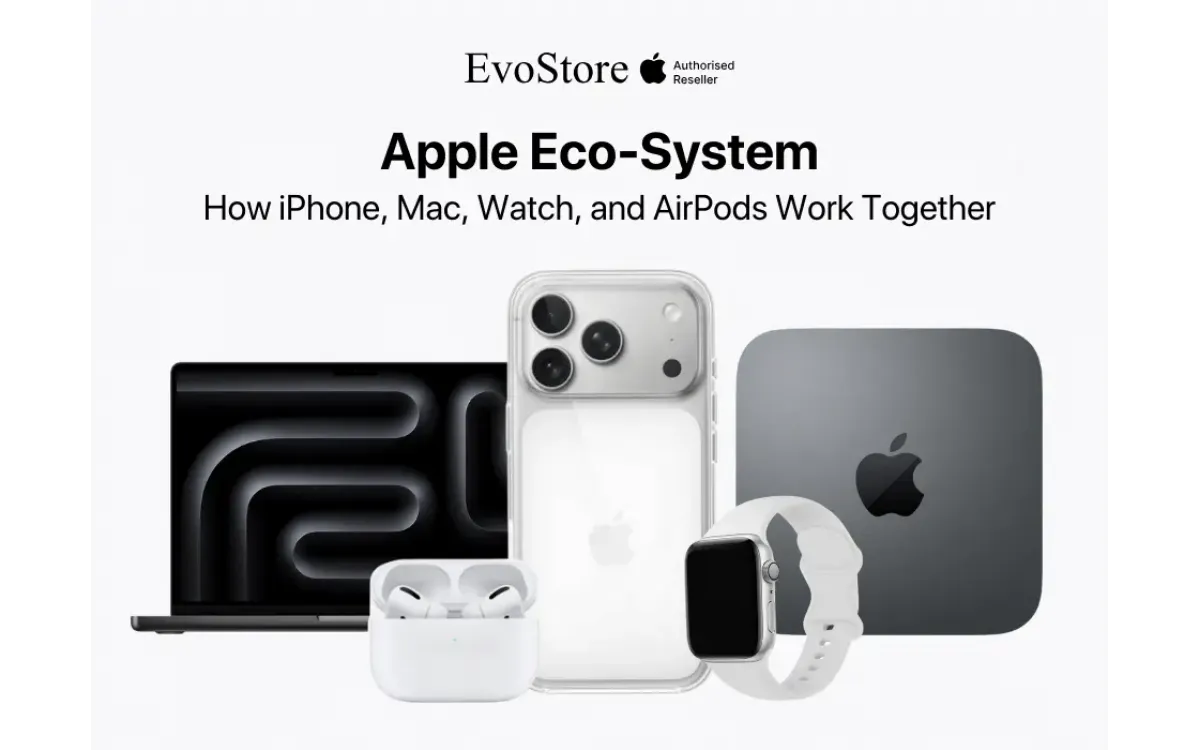
One of the main selling points of Apple products is the Apple Ecosystem. The products function as interconnected components within a unified system. Individual devices gain capabilities when combined with other Apple hardware through proprietary software integration. This is the exact reason why you don’t see an iPhone user with a Windows laptop or a Macbook user with an Android phone. This article explains everything you need to know about the Apple Ecosystem.
Foundation of the Apple Ecosystem
The ecosystem operates through iCloud, Continuity features, and shared operating system architecture. iCloud synchronizes data across devices using cloud storage. Continuity protocols enable task handoff and cross-device functionality. iOS, iPadOS, macOS, watchOS, and tvOS share common frameworks allowing seamless interoperability.
Apple ID serves as the central authentication mechanism. A single account accesses all services and maintains consistent settings across hardware. Purchases made on one device become available on all others. Application downloads, media libraries, and document storage link through this unified account structure.
Bluetooth and Wi-Fi facilitate local device communication. Handoff features use both protocols to transfer active tasks between nearby Apple products. AirDrop file sharing operates through direct peer-to-peer connections. These technologies function without internet connectivity when devices remain within range.
End-to-end encryption protects data moving between devices. Messages, health information, and payment credentials receive particular security attention. Two-factor authentication adds verification layers for account access. Device-level encryption secures stored information even when hardware falls into unauthorized hands.
iPhone as the Ecosystem Hub
iPhone functions as the primary device for most users. Its cellular connectivity provides internet access for other products through Personal Hotspot. Calls and messages route through iPhone to iPad, Mac, and Apple Watch. The phone's camera serves as a document scanner accessible from Mac applications.
Universal Clipboard copies content on iPhone for pasting on Mac or iPad. Text, images, and files transfer instantly between devices signed into the same Apple ID. This feature operates automatically without user configuration beyond initial iCloud setup.
iPhone unlocks Mac computers when brought nearby. Auto Unlock uses authentication credentials from the phone to bypass password entry on the computer. The feature requires two-factor authentication and compatible hardware released after 2013.
Instant Hotspot connects Mac and iPad to iPhone's cellular data without password entry. Available networks appear in Wi-Fi menus with signal strength indicators. Connections establish with single clicks. Usage monitoring prevents unexpected data overages.
Camera Continuity captures photos and scans documents using iPhone camera for insertion into Mac documents. Users select insert options in Mac applications, triggering iPhone camera activation. Captured images transfer wirelessly and embed directly into working documents.
Mac Integration Features
Handoff continues iPhone tasks on Mac. Emails drafted on iPhone open in Mac Mail. Safari tabs browsing on iPhone appear in Mac Safari. Supported applications display Handoff icons in the Dock when compatible tasks run on nearby devices.
Sidecar transforms iPad into a secondary Mac display. The feature supports wireless and wired connections. Apple Pencil functions as a precise input device for Mac applications when using iPad as a display. Graphics professionals use this configuration for detailed editing work.
Universal Control operates keyboard and mouse across Mac and iPad simultaneously. Cursor movement extends beyond screen edges onto adjacent devices. Files drag and drop between devices positioned next to each other. A single keyboard types into applications running on either device.
AirPlay mirrors Mac screens to Apple TV. Presentations extend to televisions without cable connections. Audio streams to compatible speakers and receivers. The protocol supports simultaneous output to multiple AirPlay 2 devices for multi-room audio.
Time Machine backup integrates with iCloud for Mac data protection. Local backups store on external drives while iCloud maintains document and desktop synchronization. This dual approach provides redundancy against hardware failure and accidental deletion.
Apple Watch Health and Fitness Integration
Apple Watch tracks health metrics and syncs data to iPhone's Health app. Heart rate monitoring, blood oxygen measurement, ECG readings, and activity tracking flow continuously to the phone. Data visualization and trend analysis occur on the larger iPhone screen.
Workout tracking on Apple Watch provides real-time metrics visible on the watch face. Completed workouts sync to iPhone, iPad, and Mac Fitness app. Historical data enables progress tracking and goal setting. Sharing features allow fitness competition with contacts.
Fall detection and crash detection trigger emergency calls through paired iPhone. When incidents occur, Apple Watch initiates countdown timers before contacting emergency services. Location data transmits to responders. Emergency contacts receive automated notifications.
Sleep tracking monitors rest patterns and presents analysis through the Sleep app. Bedtime schedules set on iPhone configure Apple Watch for sleep mode. Morning wake alarms vibrate on the wrist without disturbing partners. Sleep stage tracking identifies time spent in REM, core, and deep sleep.
Medications reminders track pill schedules. Users photograph medication bottles for automatic drug identification. iPhone cameras capture pill appearance for visual confirmation during administration. Logging occurs on Apple Watch with single taps during reminder notifications.
AirPods Automatic Switching
AirPods detect active audio sources and switch connections automatically. Music playing on iPhone routes through AirPods. Answering a FaceTime call on Mac redirects audio without manual Bluetooth reconnection. The transition completes within two seconds.
Spatial audio with dynamic head tracking adjusts sound positioning based on head movement. Gyroscopes and accelerometers in AirPods Pro and AirPods Max monitor orientation. Audio remains anchored to the device screen position creating immersive experiences for movies and games.
Conversation Boost amplifies voices in noisy environments. Beamforming microphones focus on speech directly ahead while suppressing background noise. This accessibility feature assists users with mild hearing difficulties during in-person conversations.
Audio sharing splits sound from one iPhone to two sets of AirPods. Friends watch videos together each with independent volume control. The feature works with compatible Beats headphones in addition to AirPods.
Find My integration locates lost AirPods using the Find My app. The last known location appears on maps. Proximity indicators guide users to nearby AirPods using Bluetooth signal strength. AirPods Pro and later models play directional sounds to aid location.
Continuity Camera Applications
iPhone serves as a wireless webcam for Mac during video calls. Desk View uses ultrawide cameras to simultaneously show face and desk surface. Center Stage keeps users framed during movement. Studio Light adjusts facial lighting for professional appearance.
Document scanning from Mac applications activates iPhone camera. Scanned documents undergo automatic perspective correction and edge detection. Multi-page scanning creates single PDF files. Text recognition makes scanned content searchable and selectable.
Sketch and Markup tools on iPhone insert hand-drawn content into Mac documents. Apple Pencil or finger drawings transfer in real-time. This workflow suits quick diagram creation without graphics tablet requirements.
Camera handoff continues photo and video capture started on iPhone. Photos taken on iPhone appear immediately in Mac Photos app. Videos record on iPhone with Mac serving as viewfinder and remote control.
Messaging Across Devices
iMessage sends texts from Mac, iPad, and Apple Watch using iPhone's cellular connection. Conversations synchronize across all devices. Replies sent from Mac appear in iPhone message threads. Attachments share through iCloud links enabling access from any device.
SMS forwarding extends green-bubble conversations beyond iPhone. Text messages from non-Apple users route through iPhone to other devices. Setup requires one-time verification using codes displayed on iPhone.
FaceTime calls ring on all devices simultaneously. Answering on Mac or iPad while iPhone remains pocketed maintains call privacy. Camera and microphone selection adapts to the answering device. Screen sharing works during Mac FaceTime calls.
Group chat management functions identically across platforms. Name changes, participant additions, and message reactions synchronize instantly. Read receipts indicate which devices viewed messages.
Message filtering sorts promotional content and unknown senders into separate folders. Machine learning models identify spam without sending message content to Apple servers. Filter settings configured on one device apply across all hardware.
Family Sharing Configuration
Family Sharing links up to six Apple IDs under one payment method. App Store and iTunes purchases made by any family member become accessible to others. Subscription services including Apple Music, Apple TV+, and iCloud storage plans share across the family group.
Screen Time restrictions set on children's devices enforce app usage limits. Parents monitor activity summaries showing application categories and total device time. Downtime schedules block app access during designated hours. Approval requests for additional time appear on parent devices.
Location sharing shows family member positions on maps. Geofence notifications alert when children arrive or depart locations. Lost device assistance helps locate family member hardware using the Find My network.
Purchase approval settings require parental authorization before children buy apps or media. Requests appear as notifications on parent devices. Parents review purchase details before approving or declining.
Family photo albums automatically collect pictures from all family members. Shared albums create collaborative collections for events and vacations. Suggested sharing identifies photos containing family members and prompts sharing recommendations.
Security Features Across Devices
Two-factor authentication requires verification codes when signing into Apple ID from new devices. Trusted devices display six-digit codes valid for short windows. SMS delivery provides backup verification when trusted devices are unavailable.
Find My Device tracks lost or stolen Apple products. Activation Lock prevents device erasure without Apple ID password. Lost Mode displays contact information and locks devices remotely. Erase commands wipe data from stolen devices protecting sensitive information.
Passkey authentication replaces passwords with biometric verification. Face ID or Touch ID authorizes website logins stored in iCloud Keychain. Credentials synchronize across devices enabling passwordless access from any Apple product.
Stolen Device Protection adds security layers when iPhone operates away from familiar locations. Biometric authentication requirements increase for sensitive actions. Security delays prevent immediate account changes when devices leave trusted locations.
Privacy reports show which apps access location, camera, microphone, and contacts. App Tracking Transparency requires permission before apps track user activity across other companies' apps and websites. Mail Privacy Protection prevents senders from knowing when emails open.
Productivity Workflow Enhancements
Notes app synchronizes across all devices with real-time collaboration. Multiple users edit shared notes simultaneously. Attachments include documents, images, sketches, and scanned items. Smart folders organize notes using tags and automated rules.
Reminders sync location-based alerts. Grocery list reminders trigger when arriving at stores. Task assignments notify family members of shared responsibilities. Subtasks and notes add detail to reminder entries.
Calendar integration displays events from multiple accounts in unified views. Travel time calculations account for traffic conditions. Location data automatically populates for businesses found in Maps. Video call links attach to scheduled meetings.
Freeform provides infinite canvas workspace for visual collaboration. Sticky notes, sketches, documents, and media combine in flexible layouts. Real-time collaboration shows participant cursors and edits. The board synchronizes across Mac, iPad, and iPhone.
Safari bookmark and reading list synchronization maintains consistent browsing resources. Tab groups organize research topics and projects. Tabs open on one device appear in tab overviews on others. Handoff continues web sessions between devices seamlessly.
Entertainment Continuity
Apple Music playlists and libraries synchronize through iCloud Music Library. Songs downloaded on iPhone play offline on Mac and iPad. Playback history influences recommendations across devices. Crossfade settings and equalizer preferences apply universally.
Apple TV app tracks viewing progress. Movies and shows paused on iPhone resume at the same position on Apple TV or Mac. Up Next queue maintains consistent order across platforms. Family Sharing allows up to six people to access purchased content.
Podcasts synchronization maintains episode progress and subscription lists. Episodes downloaded on one device consume storage on that hardware only. Playback speed and skip settings apply across all devices listening to the same show.
The Photos library stores full-resolution images in iCloud. Optimized versions download to devices with limited storage. Edits made on iPhone apply to copies on Mac and iPad. Memories and featured photos appear identically across platforms.
Apple Arcade game progress synchronizes through iCloud save states. Games started on iPhone continue on Apple TV or Mac. Controller support extends to PlayStation and Xbox controllers connected to any Apple device.
Purchasing Apple Products in Nepal
Evostore offers complete Apple product lineups at locations across Kathmandu. Authorized reseller status ensures genuine products with valid warranties. Technical support staff provide setup assistance and ecosystem configuration guidance.
Trade-in programs accept older Apple devices toward new purchases. Device condition assessment determines trade value. Credit applies immediately to new product purchases reducing out-of-pocket costs.
EMI financing spreads payment across extended terms. Zero-interest options make premium devices accessible with monthly installments. Approval processes complete in-store during purchase visits.
AppleCare+ protection plans extend warranty coverage and add accidental damage protection. Screen repairs and battery replacements receive reduced service fees. Express replacement service ships replacement devices before returning damaged units.
FAQs
1. Do all Apple devices need to be purchased together to work in the ecosystem?
Devices integrate regardless of purchase timing. Adding products to existing collections extends capabilities immediately. Used devices configure into ecosystems identically to new purchases when signed into the same Apple ID.
2. Can I use Apple ecosystem features with non-Apple devices?
Core features require Apple hardware. iCloud services access through web browsers on Windows computers. Apple Music and Apple TV apps function on select Samsung smart TVs and streaming devices. Full ecosystem benefits require Apple products.
3. How much iCloud storage do I need for multiple devices?
Free 5GB accounts suffice for basic syncing. Photo libraries and device backups consume significant space. The 50GB plan costs NPR 120 monthly. Family Sharing splits 200GB or 2TB plans across six people.
4. Will older Apple devices work with new ecosystem features?
Recent features require hardware from the past five years. Universal Control needs Macs from 2016 or later. Continuity Camera requires iPhone XR or newer. Software updates enable features on compatible older devices.
5. What happens to ecosystem features when switching from iPhone to Android?
Cross-platform functionality ceases. iMessage reverts to SMS. Handoff, Universal Clipboard, and AirDrop become unavailable. iCloud data remains accessible through web browsers and Android apps for photos and notes.